Wan AI Video Prompt Guide: Turn a Simple Idea Into a Usable Shot
Learn how to write Wan AI video prompts with clear subjects, actions, camera direction, lighting, and constraints. Includes reusable text-to-video and image-to-video templates.
TL;DR
A useful Wan AI video prompt reads like a short shot brief. Give the model one clear subject, one main action, a defined setting, a camera choice, and a small number of visual constraints.
- ✅ Use this structure if: your generations look generic, the camera ignores your idea, or the subject keeps changing
- ✅ Start with: subject, action, setting, shot type, camera movement, light, and sound
- ❌ Avoid: several unrelated actions, five camera moves in one clip, and long lists of adjectives
How should you write a Wan AI video prompt?
Write the prompt as a shot brief. Start with what the viewer should see, describe what changes during the shot, then tell the camera how to observe it. This makes the result easier to inspect and easier to revise.
The method in this guide is designed for the publicly documented Wan family, including workflows built around Wan2.2 and Wan2.7. Wan 3.0 does not yet have a verified official public specification, so these examples should be treated as portable prompting patterns rather than confirmed Wan3.0 features.
The seven parts of a strong video prompt
You do not need a long paragraph. You need the right information in the right order.
| Part | Question it answers | Example |
|---|---|---|
| Subject | What is on screen? | A red ceramic cup on a wooden table |
| Action | What changes? | Steam rises while the cup turns slightly |
| Setting | Where and when? | A quiet kitchen in early morning light |
| Framing | How close is the camera? | Close-up product shot |
| Camera | How does the camera move? | Slow dolly in |
| Look | What visual treatment fits? | Soft natural light, shallow depth of field |
| Constraints | What should stay stable? | Keep the cup shape and logo unchanged |
The subject and action should appear early. If the most important instruction is buried after a long style description, it becomes harder for you to tell which part of the prompt caused a weak result.
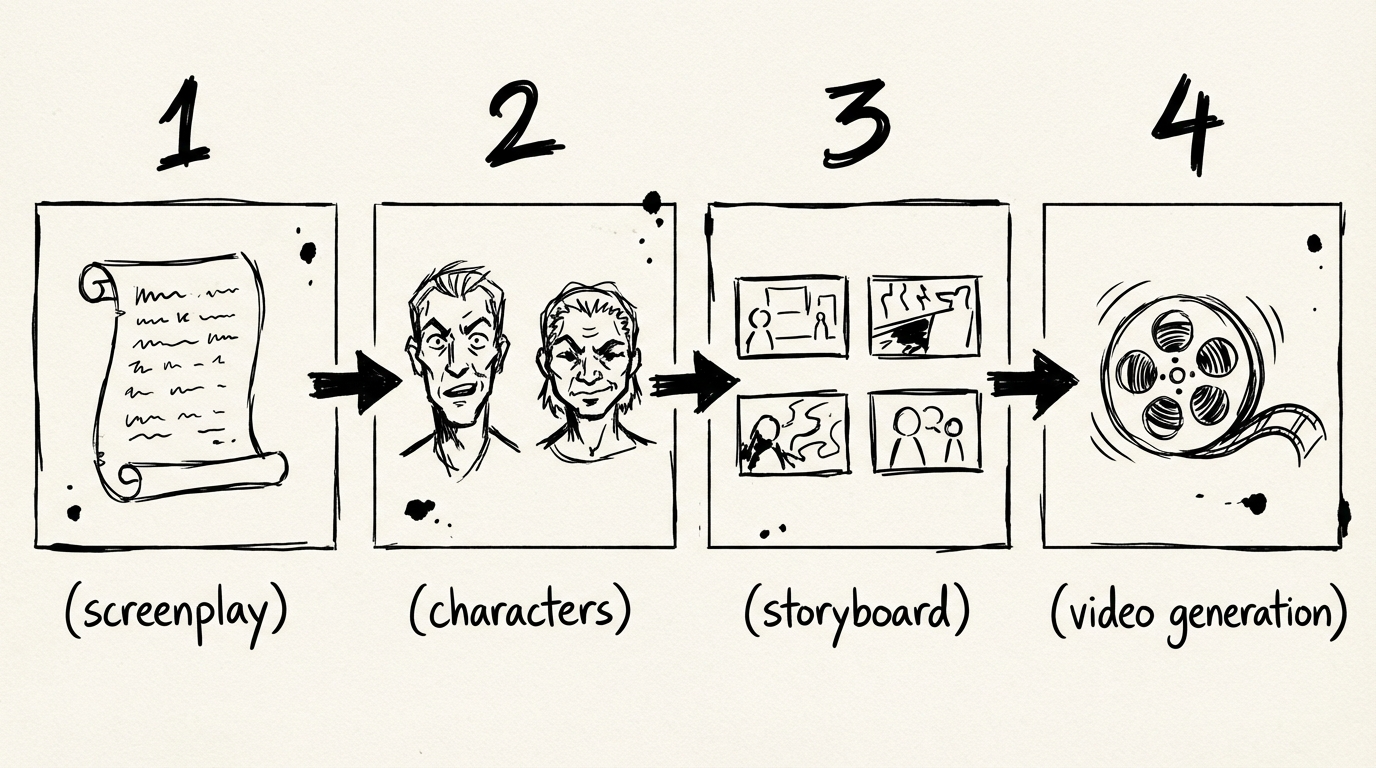
A text-to-video prompt template
Use this structure when you are creating the scene from words.
[Shot type]. [Subject] [main action] in [setting].
[Camera movement]. [Lighting and visual treatment].
Keep [important detail] stable. [Sound or dialogue, if needed].
Here is a product example.
Close-up product shot. A red ceramic cup sits on a dark wooden table in a quiet kitchen at sunrise. Steam rises gently from the coffee while the cup turns five degrees toward camera. Slow dolly in, soft window light, shallow depth of field. Keep the cup shape and white logo unchanged. Ambient room tone, no music.The prompt gives the shot one job. The cup moves slightly, the camera moves slowly, and the surrounding scene stays quiet. That gives you a result you can judge.
Here is a narrative example.
Medium shot. A tired courier stops beneath a neon sign on a rainy street and looks at the unopened envelope in his hand. The camera tracks gently from left to right. Wet pavement reflects red and blue light, restrained cinematic color, realistic rain. Keep the courier's dark jacket and canvas bag consistent. Distant traffic and footsteps, no dialogue.The exact wording will vary by model and provider. The useful part is the separation between what happens, how it is filmed, and what must remain stable.
A practical image-to-video prompt template
An input image already carries much of the visual identity. The prompt should spend more space on movement and less space trying to redraw the subject.
Animate the provided image. [Subject] performs [one main action].
The camera [one camera movement]. Preserve [shape, face, clothing, or product detail].
Use [lighting and motion quality]. [Sound or dialogue, if needed].
For a product image, try this.
Animate the provided product image. The bottle rotates slowly from a three-quarter view toward the front while a small highlight moves across the glass. The camera remains mostly static with a very slight push in. Preserve the label layout, bottle proportions, and cap color. Clean studio light, soft background, controlled motion. No text changes and no extra objects.For a character reference image, try this.
Animate the provided character image. The character takes two slow steps forward and looks toward the light on the right side of frame. The camera tracks backward at walking speed. Preserve the hairstyle, coat, face shape, and color palette. Overcast afternoon light, gentle wind in the coat. No new characters and no sudden camera shake.The image-to-video approach is useful when the starting appearance matters. The image handles the visual baseline. The prompt handles the next movement.
How to fix common Wan prompt failures
The output contains too many actions
Reduce the shot to one main action. A person can open a door and look inside. Asking the same person to run, sit, wave, turn around, speak, and pick up a phone gives the model several competing priorities.
The camera does something different
Write the camera as its own sentence. Use one primary movement such as a slow push in, a lateral track, or a gentle pan. A static camera is also a valid choice when the subject carries the scene.
The subject changes shape
Repeat the details that matter. For a product, name its silhouette, label position, and color. For a character, keep the clothing, hairstyle, age range, and defining accessory consistent. Do not add a new description every time you regenerate.
The scene feels empty
Add a few physical details that affect the shot. Mention the surface under the object, the direction of light, the background depth, or the sound source. Three useful details are better than a page of mood words.
The result looks polished but misses the idea
Move the core action to the first sentence. Style can support the shot, but it cannot replace the shot's purpose.
A prompt revision loop that saves time
Start with the plain shot
Write the subject, action, and setting in two sentences. Generate a first version without adding a long style list.
Change one variable
If the subject is right but the framing is wrong, change the shot type or camera sentence. Keep the rest of the prompt intact so you know what made the difference.
Lock the details that matter
Add the product shape, character clothing, or environmental feature that must survive the next attempt.
Keep the winning version
Save the prompt beside the generated clip. A good prompt is part of the asset, especially when you are building several shots in the same visual world.
Try a Wan video prompt
Use the Wan video generator to test a simple shot first. Start with one subject and one action, then bring the prompt back here when you need to revise a specific failure.
Related Reading
- Wan 3.0 Official Release Status — Separate confirmed Wan information from third-party model names
- Wan AI Video Workflow — Turn several prompts into a coherent short video
- Wan2.7 video generator — Explore a current Wan video workflow
FAQ
Disclosure
The prompt structures and examples in this article are editorial templates for Wan-family video workflows. They are not presented as official Wan3.0 specifications or as a record of a controlled model benchmark. The model-status references were checked against the Wan-Video GitHub organization, the Wan-AI Hugging Face organization, and Alibaba Cloud's Wan2.7 API reference on August 6, 2026.
作者

文章分類
更多文章
Wan 3.0: What Is Officially Known and What Is Still Unconfirmed
Is Wan 3.0 officially released? We checked Wan's official repositories, Hugging Face organization, and Alibaba Cloud API docs to separate confirmed facts from third-party claims.
Wan AI Video Workflow: From One Story Idea to a Coherent Short
A practical Wan AI video workflow for turning a story idea into characters, shots, prompts, generated clips, and a finished edit without losing continuity.